BluetoothProjectors
Menu

Aurzen Projectors with Bluetooth

An Aurzen projector can fit in a travel bag or stay by the sofa, depending on the model. ZIP folds into a pocket-sized DLP unit with its own battery. BOOM 3 builds larger speakers into the projector, while the EAZZE D1 family offers several choices for streaming at home. The D1G runs Google TV; the D1 and D1 Pro have their own app and audio configurations. Start with where your films will come from, then decide whether you want to carry extra speakers, power and adapters.

Aurzen projector models and US versions

Follow the exact D1 suffix when comparing streaming options. ZIP has its own folding design and battery, while the BOOM 3 emphasizes built-in speakers.

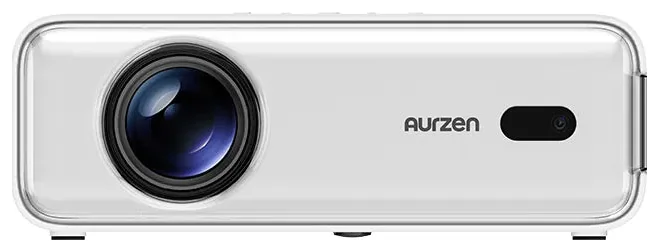
Aurzen EAZZE D1 — Front lens and grilleAurzen

Aurzen EAZZE D1

The EAZZE D1 suits a room where one box needs to handle both streaming and sound. Its smart TV system includes Netflix, while the two built-in speakers can also play music from a phone. For quiet viewing, pair headphones directly with the projector and leave the video on the built-in app or an HDMI source.

  • Display resolution: Native 1080p
  • Bluetooth: 5.1, two-way
  • Built-in speakers: 2 × 8 W
View Product Details
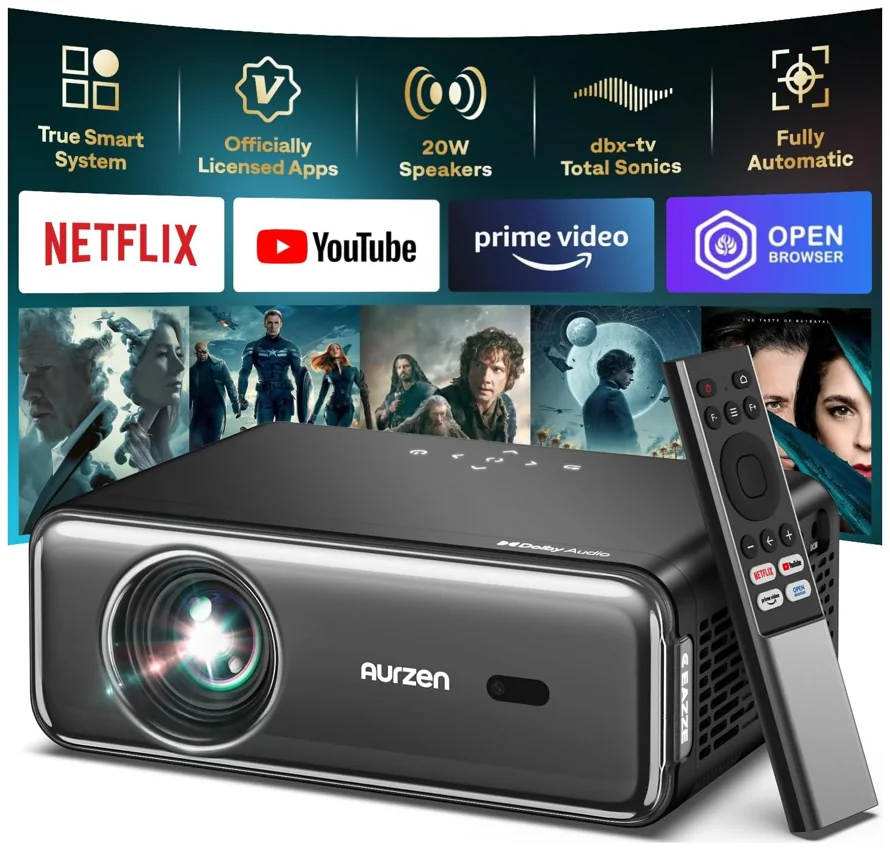
Aurzen EAZZE D1 Pro — Projector and remoteAurzen

Aurzen EAZZE D1 Pro

The EAZZE D1 Pro keeps the native 1080p picture of the D1 and pairs it with a 20 W speaker system and dbx-tv audio processing. It fits a living room where you want to watch through the projector’s own speakers most nights, then switch to a Bluetooth headset when the room needs to stay quiet.

  • Display resolution: Native 1080p
  • Bluetooth: 5.2, two-way
  • Built-in speakers: 20 W with dbx-tv processing
View Product Details
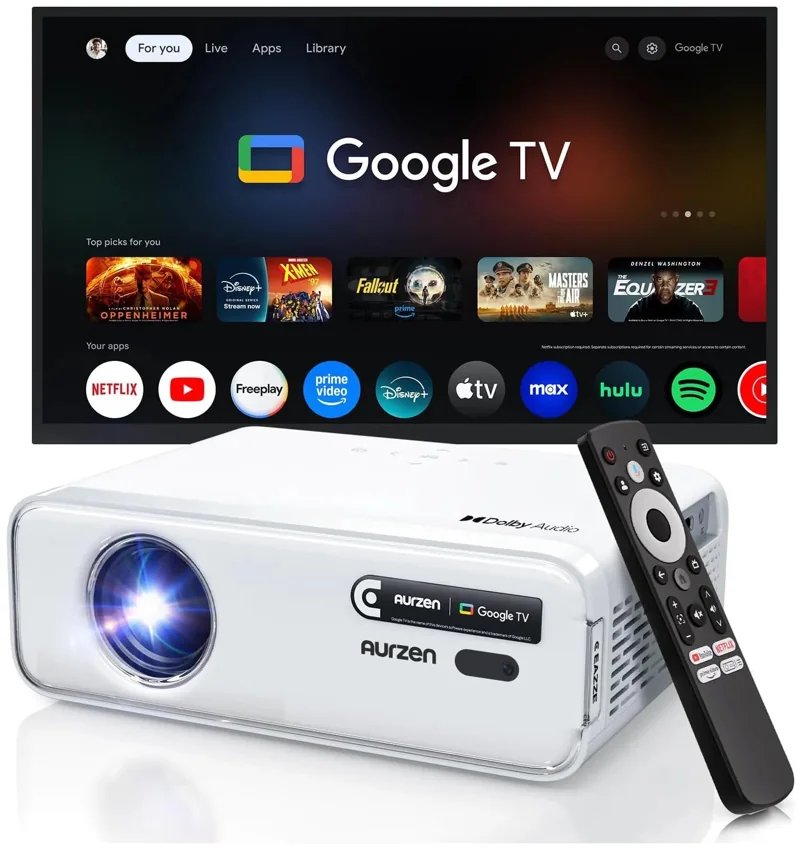
Aurzen EAZZE D1G — Projector and Google TV remoteAurzen

Aurzen EAZZE D1G

The EAZZE D1G puts Google TV, native 1080p projection and two 8 W speakers in a single unit. It makes sense if the people sharing your room already know the Google TV interface. Set it on a stable surface, connect to Wi-Fi for streaming and use its built-in focus controls to set the picture.

  • Display resolution: Native 1080p; HDR10 support
  • Bluetooth: 5.1
  • Built-in speakers: 2 × 8 W
View Product Details
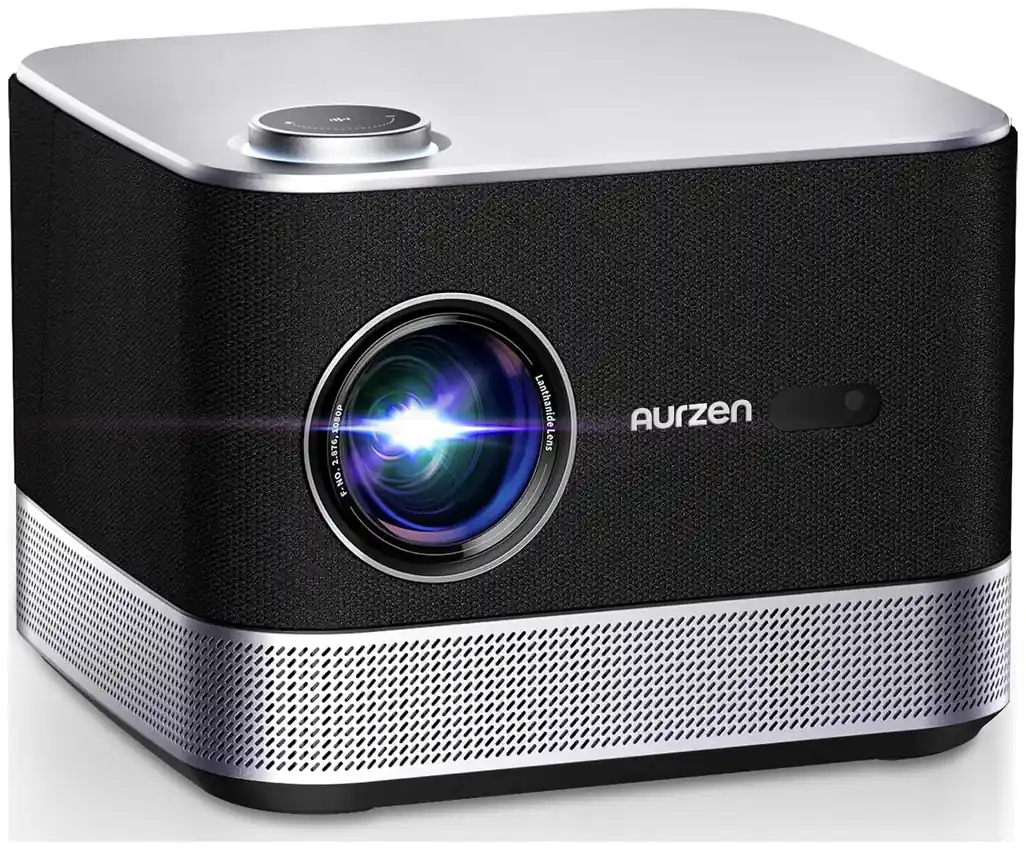
Aurzen BOOM 3 — Front and top housingAurzen

Aurzen BOOM 3

The BOOM 3 builds a 36 W speaker system into a native 1080p smart projector. That combination is useful if a movie night moves between rooms and you want to carry fewer boxes. Built-in apps handle playback, while the Bluetooth settings let you use another speaker or play music through the projector.

  • Display resolution: Native 1080p; accepts supported 4K input
  • Built-in speakers: 36 W, 2.2-channel system
View Product Details
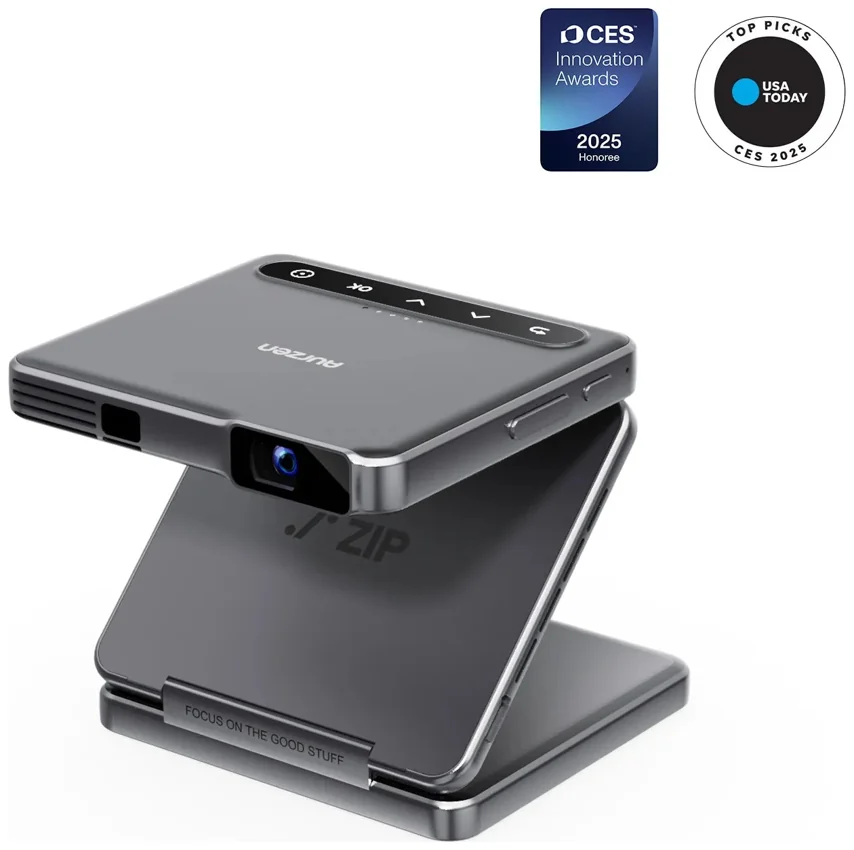
Aurzen ZIP — Tri-fold stand in viewing positionAurzen

Aurzen ZIP

The Aurzen ZIP folds into a pocket-size shape, then opens into its own adjustable stand. It suits travelers who want to mirror a phone without packing a tripod. Its native 720p image and small speakers favor a modest screen in a dark room, with Bluetooth headphones as an option for private listening.

  • Display resolution: Native 720p DLP
  • Bluetooth: 5.4
  • Built-in speakers: 2 × 1 W
View Product Details

Aurzen projector buying considerations

If your phone holds your photos and travel clips, start with ZIP. If evening viewing revolves around streaming subscriptions, compare the apps available on D1G against the built-in services on D1.

Related guides for Aurzen projectors

Aurzen EAZZE D1

Aurzen EAZZE D1 Pro

Aurzen EAZZE D1G

Aurzen BOOM 3

Aurzen projector questions

How do I connect an iPhone to the Aurzen ZIP?

Use ZIP's screen-mirroring feature to send compatible content from your iPhone. Aurzen documents this separately from Bluetooth pairing. The projector can mirror local photos and presentations, but protected streaming video can require a separate playback device and Aurzen's optional wireless HDMI accessory.

Which Aurzen EAZZE projector lets me install Google TV apps?

The EAZZE D1G runs Google TV and provides access to compatible apps from Google Play. The original D1 uses Aurzen's smart platform with bundled services. Check the specific apps you use before choosing between them, particularly if your household relies on a regional streaming service.

How do the speakers differ between EAZZE D1 and D1 Pro?

Aurzen lists two 8 W speakers for the EAZZE D1, while the D1 Pro listing specifies a 20 W system with Dolby Audio. The figures describe built-in hardware. If you already use a soundbar or headphones, compare audio output options and the streaming platform as well.

Which Aurzen model is easiest to pack with its stand?

ZIP folds the stand into the projector body and includes a 5,000 mAh battery. It is the natural starting point here for travel. Before packing it for a film, confirm that the source you intend to use can mirror that content or connect through the optional accessory.

Which Aurzen should I look at for sound without a separate speaker?

BOOM 3 is the model here with a 36 W speaker specification and Dolby Audio. It also offers autofocus and built-in streaming apps. If you expect to use it as your room's main movie speaker, consider where the projector will sit relative to the seats.