Yaber Projectors with Bluetooth
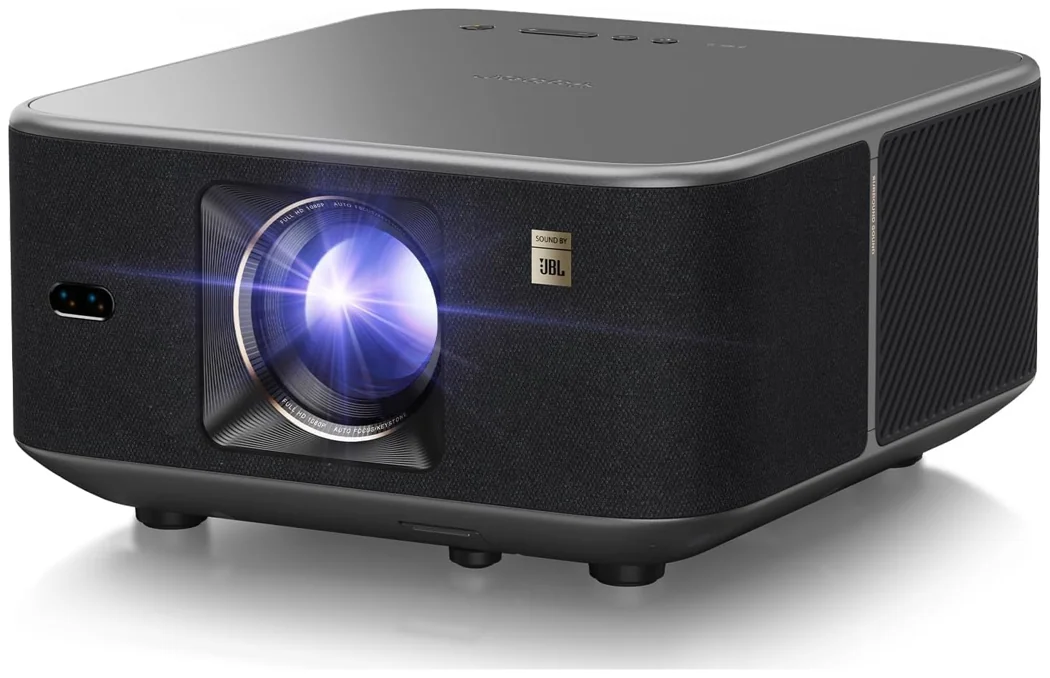
The Yaber K3 combines a native 1080p picture, Google TV and built-in JBL audio. That combination makes it worth considering for a room where you want to put one device on the table and start a film without wiring separate speakers. Before settling on a spot, measure the distance between the lens and the wall and leave space for power and source cables. When comparing prices, pay attention to the K3 and K3 Pro bundle names. Yaber lists an external subwoofer with the Pro package.
Yaber projector questions
How can I watch Netflix on the Yaber K3?
Use the projector's integrated Google TV streaming platform and sign in to the Netflix app with your account. Connect the projector to your home network first. If you are buying a different Yaber model or a used package, verify that its streaming hardware and accessories are included.
How are the Yaber K3 and K3 Pro different?
Yaber describes a separate subwoofer in the K3 Pro bundle. The standard K3 uses built-in JBL speakers, and both variants belong to the 1080p family. Compare the accessory list in each offer, particularly if you are shopping for the speaker package as part of a home theater.
How far should I place the Yaber K3 from the wall?
Yaber lists a 1.2:1 throw ratio. As a starting point, multiply the intended image width by 1.2 to estimate the lens-to-screen distance in the same units. Use width rather than the diagonal, and test the actual position before fixing a shelf or mount.
What automatic setup features does the K3 offer?
The K3 supports autofocus and automatic keystone correction. Yaber also describes screen alignment and obstacle avoidance. Start with a clear, flat projection surface so the projector can frame the picture cleanly, then check small text near all four corners after it finishes adjusting.
What resolution does the Yaber K3 display?
Yaber specifies native 1080p for the K3. That is the resolution to use when comparing projected text and fine detail with a 4K home theater model. For a streaming setup, the player's output setting and the service's playback quality also affect the image you see.
 Yaber